Which Chinese storage batteries can communicate with a Deye inverter via CAN bus without flashing firmware? Start with the exact battery model, not the brand name. A no-firmware-change route is confirmed when the battery appears in the current inverter compatibility document, the communication method and setup profile match, and the inverter firmware supports that profile.
This guide compares the practical compatibility paths for Chinese batteries with Deye, Growatt and Victron inverter systems. It focuses on the information a distributor or installer needs before quoting: model, voltage class, current, CAN or RS485 profile, firmware, setup code, cable and live BMS data.
Direct answer: A CAN port alone does not prove compatibility. For Deye, start with the current Approved Battery List. For Growatt, match the inverter family and battery route. For Victron, confirm the GX device, CAN profile, cable pinout, battery compatibility record and DVCC settings.
What “without flashing firmware” means in a real quotation
“No firmware flash” is a model-level result: the selected battery uses the inverter’s existing supported battery profile and commissioning path. The CAN socket is only the starting point; the model, protocol and firmware still have to align.
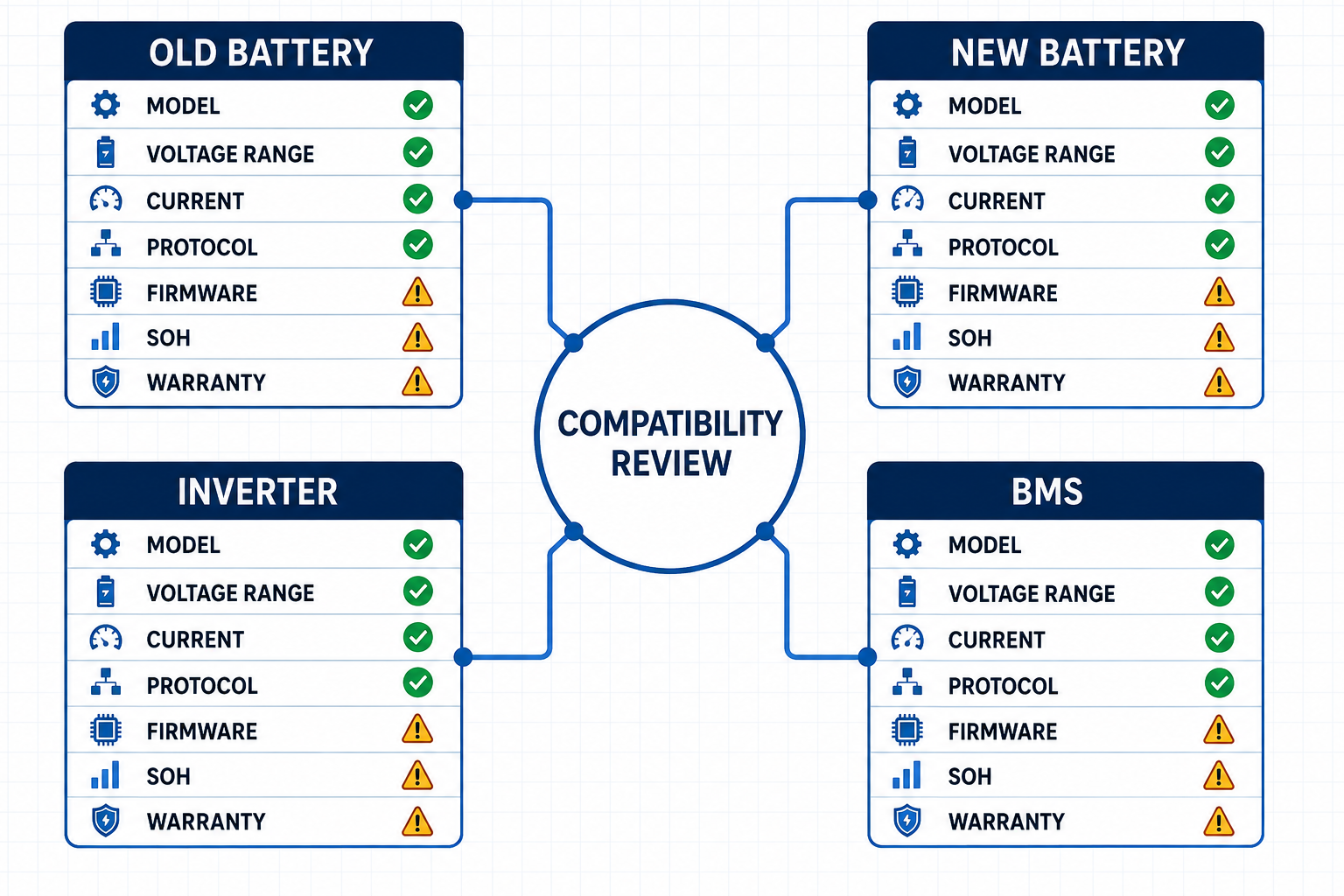
Use this evidence chain when a supplier says “CAN compatible”:
| Check | What the document should show | What it proves |
|---|---|---|
| Exact model | Full battery model and inverter model, including suffix and generation | The evidence applies to the equipment being quoted |
| Electrical range | Battery operating voltage, charge/discharge current and system topology | The DC side can operate within the inverter’s working window |
| Communication | CAN or RS485, port name, baud/profile, cable or pinout | The physical connection and data layer match |
| Inverter setting | Battery brand/model selection, setup code or BMS profile | The inverter can interpret the battery’s messages |
| Firmware | Supported inverter, battery, GX or Venus OS version | The existing software can run the selected profile |
| Live status | SOC, voltage, current and charge/discharge limits visible after startup | The BMS is controlling the system, not only showing a link light |
If the first four rows are documented and the firmware line is already within the stated support, the project has a clear direct-communication route. If a document calls for a firmware update, record that requirement in the quotation rather than presenting the package as a no-flash solution.
Deye, Growatt and Victron use different compatibility paths
Use a different verification path for each brand because their documents answer different questions.
| Inverter ecosystem | First document to check | Compatibility signal | Quotation detail |
|---|---|---|---|
| Deye | Current Approved Battery List and exact inverter manual | Battery model, CAN/RS485 and Inverter Setup code | List version/date, setup code, inverter firmware and cable |
| Growatt | Energy Storage Configuration Quick Check List plus the battery datasheet | MIN/MOD/SPH family, voltage route, battery generation and power/control unit | ARK XH, APX HV or AXE LV route, module count and firmware |
| Victron | Battery Compatibility record, GX manual and battery communication manual | GX device, BMS-CAN/VE.Can profile, cable/pinout and DVCC support | GX model, Venus OS version, cable type, termination and BMS profile |
The practical difference is simple: Deye presents a model-to-setup list; Growatt presents a product-family configuration path; Victron presents a GX and managed-BMS integration path. That is why the same Chinese battery can be a direct Deye match, a firmware-dependent Growatt match and a GX-profile-dependent Victron match.
Deye: use the Approved Battery List to find the no-flash route
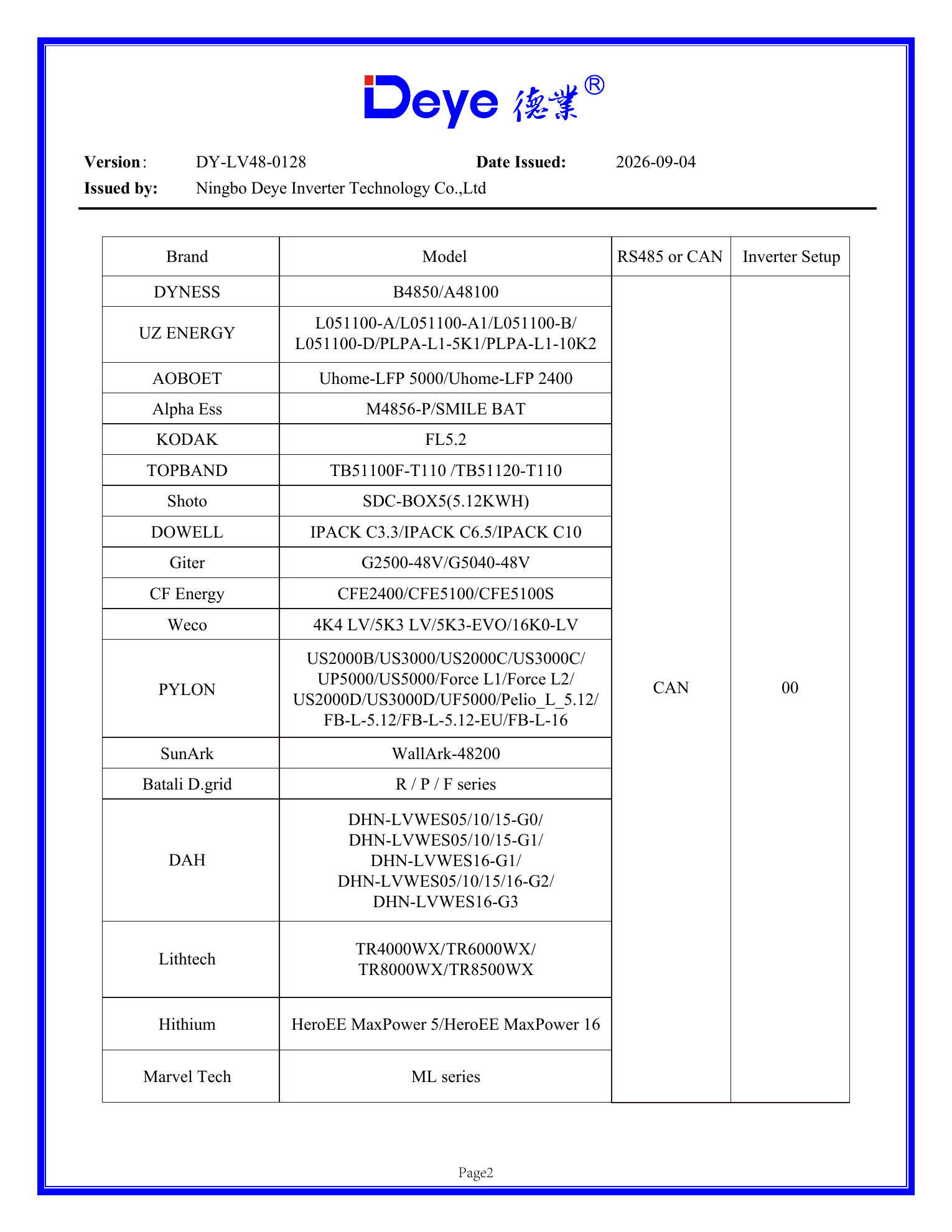
Deye is the clearest starting point for the question “Can this Chinese battery communicate without flashing firmware?” The current LV list available for this review is version DY-LV48-0128, issued September 4, 2026. Its table connects the battery brand and model to CAN or RS485 communication and an inverter setup number.
For example, the list shows Dyness B4850/A48100 and a group of Pylontech models. The Pylon group is shown under CAN with inverter setup 00. That is the useful part of the record: it gives the installer a model family, a communication route and a Deye lithium setting to check. The list version and the exact Deye inverter model remain part of the same quotation record.
Deye’s manual explains the same workflow on the inverter screen: when Lithium Mode is selected, the “Batt Set 3” page uses the BMS communication protocol code confirmed by the Approved Battery List. The setup number belongs to the selected battery profile, so record it beside the model in the BOM.
Deye quotation rule: Write the battery brand, full model, Deye list version, CAN/RS485 route and setup number on the BOM. If the battery name is shortened to “48 V lithium battery,” the compatibility evidence has already been lost.
Use the full Deye Approved Battery List reading guide when you need to interpret list columns, versions and setup codes. The CVC Download Center also keeps the Deye list and related inverter documents together for project review.
Growatt: match MIN, MOD and SPH to the correct battery route
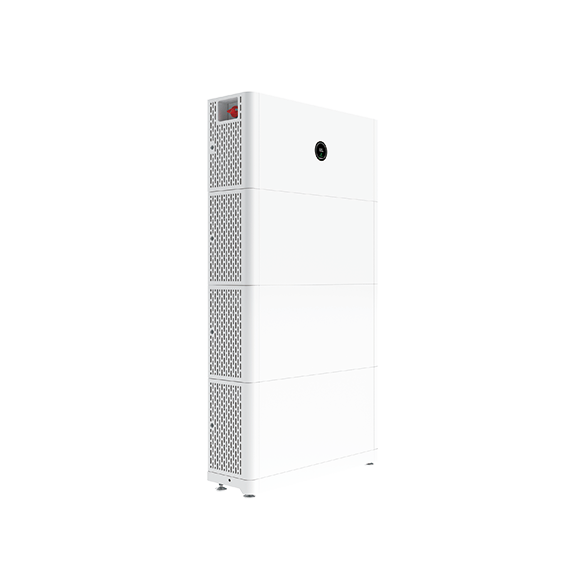
Growatt’s compatibility question starts with the inverter family. MIN-XH2 and MOD-XH are high-voltage battery-ready routes. SPH BL-UP is a low-voltage hybrid route. ARK XH, APX HV and AXE LV belong to different system paths.
| Growatt inverter family | Battery route to check | Key model-level details |
|---|---|---|
| MIN 2500–6000TL-XH2 | ARK XH or APX HV | High-voltage stack, battery generation, power/control unit and firmware |
| MOD 3000–10000TL3-XH | ARK XH or APX HV | Three-phase configuration, series count, power module and battery output limit |
| SPH 3000–6000TL BL-UP | Low-voltage battery route, including AXE LV in Growatt configuration records | 42–59 V battery range on the 6 kW model and up to 85 A maximum charge/discharge current in the manual |
Growatt’s APX S0 datasheet gives an important answer for the no-flash question. For the MIN 2500–6000TL-XH route, it states that a firmware update is required for APX 5.0–30.0P-S0. That is exactly the kind of detail a distributor needs before promising a direct connection. APX has CAN/RS485 communication, while the APX firmware line remains part of the setup path.
For ARK XH, Growatt’s configuration checklist specifies the battery stack, control unit and module count. For example, the list shows 5.12–17.92 kWh with 2–7 ARK 2.5H-A1 packs for MIN-XH, while the MOD-XH row starts with a different series count and capacity range. Put the inverter family and battery quantity together in the quotation.
For a deeper comparison of these three battery families, read Growatt ARK vs APX vs AXE. The new article uses that product-family detail only where it helps compare the three brands’ compatibility logic.
Victron: check the GX device, CAN profile and DVCC path
Victron compatibility is built around the GX device and the managed battery BMS. The system connects through the GX port profile, the correct cable and termination, and the battery record that supports the intended DVCC operation.
Victron’s CAN-bus cable manual distinguishes cable types and pinouts. Type A is used for several battery families including Pylontech US2000C, US3000C, UP5000 and Force-L. Type B is used for Pylontech US2000, US3000 and UP2500. On the GX side, the cable connects to VE.Can or BMS-Can according to the system configuration.
The Cerbo GX documentation separates BMS-Can at 500 kbit/s from the default VE.Can at 250 kbit/s. Treat these as configuration values. The port profile and cable determine whether the battery appears on the GX device, even when both sides use RJ45 sockets.
Victron commissioning check: The GX device should display the battery and receive SOC, charge-voltage limit, charge-current limit and discharge-current limit from the BMS. Those live values confirm that managed-battery communication is active.
Victron’s DVCC documentation says to enable DVCC when support is stated for the battery type and the required firmware conditions are met. This makes Victron different from the Deye setup-code route: the key evidence is the GX/BMS integration record.
For a Chinese battery connected to Victron, record the battery model, GX model, Venus OS version, cable type, CAN profile, termination and the battery maker’s Victron integration instructions. The Victron CAN-bus cable manual is the reference for cable selection and pinout.
Three model-level checks before calling a battery compatible
Use these three checks on every new Chinese battery proposal.
1. Match the electrical architecture
Confirm low-voltage or high-voltage class, operating voltage window, continuous charge and discharge current, module count and parallel limit. A 51.2 V battery may fit a low-voltage route while failing the current requirement of a 6 kW inverter. A high-voltage stack needs the correct series count and control unit.
2. Match the communication profile
Write down the exact port, protocol, baud rate, pinout and termination. CAN and RS485 describe communication layers, while RJ45 describes the connector shape. The BMS message format comes from the protocol and profile.
3. Match software and commissioning data
Check inverter firmware, battery firmware, setup code, battery brand selection, GX profile, DVCC support and the live values shown after startup. A system is ready for handover when the BMS limits and SOC are visible and the inverter follows them.
Compare the three systems before you quote
| Buyer request | Deye action | Growatt action | Victron action |
|---|---|---|---|
| “I need a Chinese 48 V battery.” | Search the current LV list by exact model and setup code. | Confirm the inverter is an LV family such as SPH BL-UP and check current. | Confirm GX device, supported battery record, cable and BMS-CAN profile. |
| “I do not want to flash firmware.” | Use the listed battery profile with the existing supported firmware. | Check whether the battery datasheet calls for a firmware update, as APX S0 does for the MIN-XH route. | Check GX/Venus OS and DVCC requirements instead of assuming firmware is irrelevant. |
| “The battery has CAN.” | Match CAN and Inverter Setup number. | Match the battery route, control unit and inverter family. | Match cable type, pinout, CAN profile, termination and live BMS data. |
The quotation evidence pack CVC uses
For a real project, send the following information with the battery request:
| File or data | Why it matters |
|---|---|
| Inverter nameplate photo and full model | Separates regional versions, voltage classes and suffixes |
| Battery datasheet and installation manual | Confirms operating voltage, current, ports, pinout and module rules |
| Compatibility list or configuration checklist | Connects the exact battery model to the inverter route |
| Firmware and protocol information | Shows whether the existing software can run the selected BMS profile |
| Sample communication result | Confirms SOC, voltage, current and charge/discharge limits after startup |
| Target country and delivery plan | Aligns the model, documents, packaging and service route with the project |
You can download the shorter Battery–Inverter Compatibility Quick Check and send the completed model list to CVC. We can compare the available supplier models, source documents and communication requirements before a quotation is issued.
What CVC can confirm for a distributor
CVC’s role is to connect the project requirement with an available battery supplier and the documents needed to support the match. For a Deye, Growatt or Victron request, the useful output is a model-level comparison that covers:
- the battery model and voltage class;
- the inverter model and system topology;
- CAN/RS485 port and communication profile;
- firmware, setup code or GX configuration;
- sample availability and document completeness;
- MOQ, lead time and service path for the target market.
Send the inverter nameplate, target battery capacity, required backup power and destination country through the CVC contact page. If the battery needs a specific Deye setup code, Growatt configuration or Victron GX profile, include that requirement in the first message.
Frequently asked questions
Which Chinese batteries can connect to Deye via CAN without flashing firmware?
Start with the battery models listed in the current Deye Approved Battery List. In the DY-LV48-0128 list dated September 4, 2026, examples include Dyness B4850/A48100 and Pylontech models with CAN and setup code 00. Confirm the exact Deye inverter model and firmware against the list version before treating the route as ready.
Does a CAN port make a battery compatible with all three inverter brands?
No. CAN is the communication layer. Deye also uses the approved model and setup number; Growatt uses the inverter family and battery route; Victron uses the GX device, cable/profile and managed-BMS configuration.
Can a Growatt APX battery work without a firmware update?
That depends on the APX generation and inverter family. Growatt’s APX S0 documentation states that MIN 2500–6000TL-XH requires a firmware update for APX 5.0–30.0P-S0. Keep that requirement in the quotation record.
What does Victron need to see from a third-party battery?
The GX device needs the correct CAN profile and cable, and it must receive BMS data such as SOC, charge-current limit and discharge-current limit. Use the Victron compatibility record and the battery maker’s integration instructions for the exact model.
Can CVC recommend a battery from only the inverter brand?
Send the full inverter model and the project requirement first. CVC can then compare Chinese battery models, documents, communication route, capacity, current, sample availability and supply conditions as one package.
Source documents used in this guide
The model and protocol references in this article come from the following manufacturer materials. Compatibility lists and firmware requirements change by model and revision, so keep the document version with the project file.
- Deye Approved Battery List, LV version and the September 4, 2026 DY-LV48-0128 list used for the model examples.
- Growatt MIN XH2 product page, MOD XH product page and SPH BL-UP product page.
- Growatt APX HV battery documentation and the Growatt download center.
- Victron VE.Can to CAN-bus BMS cable manual and the Victron DVCC documentation.

Peter Yin
Need a battery–inverter compatibility check?
Send the exact inverter model, battery model, capacity and destination market. CVC can help compare the communication route, source documents and available Chinese suppliers.