
A fault screenshot is not an RMA case
Short answer: use a battery inverter RMA evidence checklist to prepare a complete evidence pack before asking a supplier to decide whether a battery, inverter, communication link or installation should enter the warranty process. A BMS fault screenshot proves that an alarm appeared. It does not identify the failed component, the configuration that was running, or the conditions that triggered it.
For an installer or distributor, the fastest first submission is usually a compact record containing the exact model labels, serial numbers, firmware, event logs, measured values, wiring photographs, load conditions and a timed description of what happened. That record gives the supplier something to review instead of starting another round of requests for basic information.
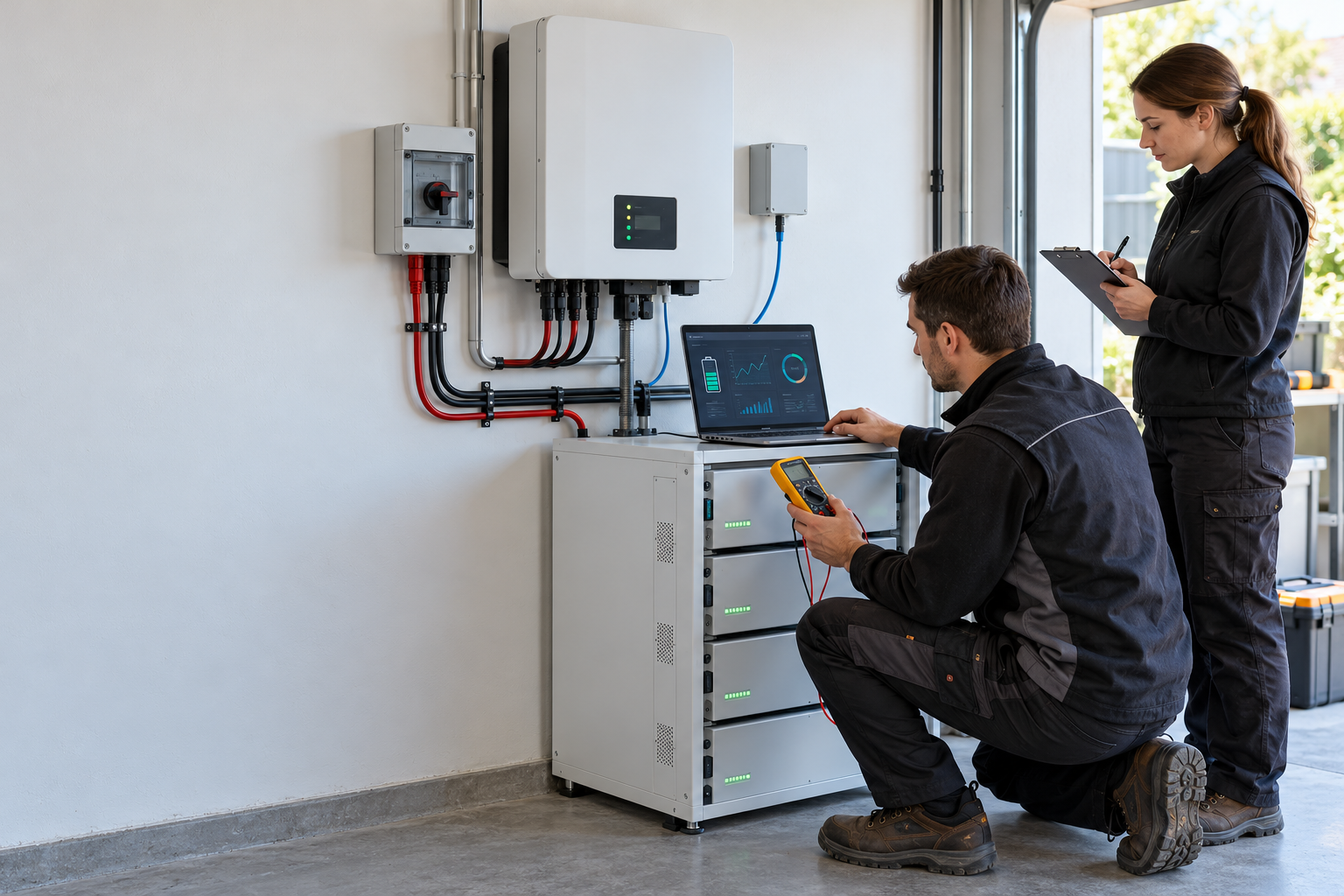
The 10 items in a battery–inverter RMA evidence pack
Use this battery inverter RMA evidence checklist in the order below. The aim is not to produce a long report; it is to let a technical reviewer reproduce the question and separate a symptom from a probable cause.
| Evidence | What to capture | Why it matters |
|---|---|---|
| 1. Model identity | Battery and inverter model, suffix, serial number and production batch | Prevents a support decision being applied to a similar but different configuration |
| 2. Firmware and protocol | BMS firmware, inverter firmware, selected battery profile and protocol revision | A model name alone does not prove that the tested communication version is installed |
| 3. Electrical readings | Battery voltage, current, SOC, temperature and inverter DC readings with time | Shows whether the displayed alarm matches the measured operating state |
| 4. Event logs | BMS alarms, inverter warnings, protection codes and their timestamps | Preserves the sequence instead of relying on memory or one screenshot |
| 5. Wiring evidence | Power cables, CAN or RS485 plugs, pinout, address settings and termination | Allows the reviewer to check the communication and installation layer |
| 6. Load conditions | Running load, charge source, output power and any motor or compressor start | A protection event under surge is different from a no-load communication failure |
| 7. Fault timeline | What happened first, what changed, and what action restored or failed to restore operation | Links the alarm to a condition and avoids an unstructured troubleshooting history |
| 8. Photos and video | Labels, connectors, displays, cable routing and the fault state | Confirms the physical configuration and helps identify visible installation issues |
| 9. Restart record | State before restart, exact restart sequence and state afterward | Shows whether the condition was temporary, repeatable or unchanged |
| 10. Tests already completed | Test method, result, date and person who performed it | Stops the supplier and installer from repeating the same inconclusive test |
Use the battery–inverter compatibility checklist before quoting when the project is still at the RFQ stage. It helps turn the same information into a pre-order compatibility record, rather than waiting until a warranty claim exposes a missing document.
Build a fault timeline that a supplier can read
Do not send ten unrelated screenshots. Put the evidence on a timeline. Start with the last known normal state and record the first change: grid failure, PV start, generator input, load connection, battery expansion, firmware update, alarm, shutdown or recovery.
For each event, note the approximate time, SOC, DC voltage, charge or discharge direction, load, alarm code and action taken. If the system was restarted, record whether the battery and inverter were isolated in the correct order and whether the same alarm returned.
- Before the fault: record the approved model combination, normal SOC and operating mode.
- At the fault: capture the screen, event code, readings and active load.
- During the first test: write down one action and one result; do not combine several changes.
- After recovery or failure: record what returned, what remained unavailable and whether the alarm repeated.
A clear timeline is especially important when the customer reports that the battery has voltage but the inverter will not charge or discharge. The voltage reading is one fact in the case; it does not replace the BMS permission, protocol, firmware and load evidence.
Use the evidence for an initial responsibility triage
An RMA evidence pack should support a first responsibility triage, not pretend to prove the root cause before the supplier reviews the data. Separate the question into four layers:
- Battery and BMS: Is the battery reporting a protection state, abnormal temperature, cell imbalance or charge/discharge limit?
- Inverter and configuration: Is the exact battery profile selected, and does the inverter firmware support the required operating mode?
- Communication and wiring: Are the CAN or RS485 port, pinout, address, cable and termination correct? The CAN and RS485 communication checklist is the right reference for this layer.
- Installation and load: Did a loose connection, excessive current, motor start, ambient condition or incorrect isolation sequence occur?
These layers often interact. A communication failure can cause an inverter to stop charging even when the battery voltage looks normal. A high startup current can trigger protection without proving that the battery cell or BMS board is defective. The evidence should keep these possibilities separate until the technical review is complete.
Know when to stop repeated restarts
Repeated restarts can remove the information that a supplier needs. Stop changing settings and move to an RMA review when the same protection event returns after one controlled test, when the battery becomes unusually hot, when there is visible damage or odor, when the system cannot be isolated safely, or when the equipment shows a serious electrical fault.
Do not open sealed battery enclosures or bypass BMS protection to create a better screenshot. Site safety and the manufacturer’s service procedure come first. Record the condition, isolate the equipment using the approved procedure and escalate through the documented support channel.
If the issue is a configuration question rather than a physical fault, submit the evidence pack with the exact battery model, inverter model, firmware and communication settings. That allows the supplier to answer the actual configuration question instead of offering a generic brand-level compatibility statement.
Five questions the supplier should answer
An installer should not close an RMA request with only “please check the cable.” Ask for a written response to these five points:
- Has the evidence been accepted as sufficient to open the technical review or RMA case?
- Which additional measurement, log or photograph is still required?
- Does the evidence point first to battery, inverter, communication, installation or load?
- Is the next action remote configuration, controlled test, repair, replacement or return shipment?
- If a unit is replaced, who coordinates freight, reinstallation, commissioning and the updated document record?
The fifth question matters commercially. A replacement unit may solve the hardware question while leaving the installer with transport, labour and recommissioning work. Record those responsibilities before the project is closed.
FAQ: battery–inverter RMA evidence
Can a BMS fault screenshot start a warranty claim?
It can start a conversation, but it is rarely enough for a complete technical review. Add the exact model and serial numbers, firmware, event log, readings, wiring evidence, load condition and fault timeline.
Do I need both battery and inverter logs?
Yes, when both devices are involved in the symptom. The two logs show whether the battery issued a protection state, whether the inverter received it and whether the response happened at the same time.
Should I replace the CAN or RS485 cable before submitting the case?
Perform only the controlled tests allowed by the installation and supplier procedure. Record the original cable and settings first. A cable swap without a before-and-after record can make the evidence less useful.
Does normal battery voltage prove that the battery is healthy?
No. Voltage is only one measurement. The BMS may still restrict charge or discharge, the communication profile may be wrong, or the inverter may not accept the reported limits.
What should a distributor keep after the case is closed?
Keep the final fault timeline, supplier conclusion, replacement or repair record, updated firmware and protocol information, commissioning result and responsibility decision with the customer’s project file.
The practical RMA decision
A good battery inverter RMA evidence checklist does more than help a supplier respond. It protects the installer’s time, gives the distributor a repeatable after-sales process and keeps the battery, inverter, communication record and customer installation connected.
Before submitting a warranty claim, identify the equipment, preserve the original state, record the timeline, separate the responsibility layers and ask for a written next step. Send the evidence as one organized pack instead of a stream of disconnected screenshots.

Peter Yin
Review a battery–inverter RMA evidence pack
Send the battery and inverter model labels, firmware or protocol details, event logs, wiring photos and fault timeline. CVC can help organize the information for a technical review before the next quotation, replacement or shipment decision.